Remote Desktop more than covers my use of productivity on JT-NXS, my laptop system that’s based at the office. So far, I’ve been fortunate in the last 10 days or so since moving towards ‘Cloud Citizen’ status, that I’ve been at my desktop, JT-DXS and not needed to use JT-NXS as much for productivity.
The experiment so far has been a wonderful success, especially when it comes to Media Consumption – it’s been awesome being able to access a personal collection of media that some close friends and family are also able to access.
Gaming has been great, for anything that’s not on a pressured level (ie. competitive play like Overwatch, or CS:GO – even then, they’re fine, but I just feel more comfortable not leaning on the internet connection so much to remain competitive with other human players). Co-op games are a revelation with it, Parsec.tv have really outdone themselves in their compression algorithms and gaming performance over the net.
I think, if when I pass probation at my workplace, I’ll commit to buying a mini-ITX system to accommodate a spare GTX 1070 graphics card I have, and allow for a bit more storage space too (dual 4TB drives + 3TB existing storage)
I’ve got plans at least, to rearrange my equipment at home; to minimise waste, and reduce the soaring temperatures in my bedroom, too. Even in the dead of winter it’s still a warm toasty room that can get quite uncomfortably stuffy as well.
Anyway, 10 days in and I’ve started rolling out some productivity tools onto JT-NXS in anticipation of using the system for more work-related and project-related situations.
I’ve got:
- Git, with Git Bash as my terminal
- Adobe Creative Cloud
- Visual Studio Code
- Office365
For the most part, I actually already use Google Docs/Spreadsheets almost obsessively to manage my documentation, and I’ve got my own personal BookStack that I use as a personal Wiki and Knowledge Repository.
All in all, I’m slowly training myself to wean off my attachment to my desktop, and to be able to start working from anywhere on a laptop (an old Microsoft Surface Pro 1 – although I plan to use JT-NXS in 3 months time) or tablet (iPad Pro).
So, primarily to get away from my desktop (see my previous post below) – the solution appears to be resorting to Cloud computing in some shape or form.
Gaming Entertainment
The biggest issue currently, that will dissuade me the most from becoming a citizen of the cloud is that I won’t be able to play games with my low-spec terminal (in this case, in my room, it’ll be a 2012 Mac Mini).
Luckily for me; I actually stumbled across a wonderful solution! Parsec.tv – an amazing, free, 1080p 60fps cloud gaming application. Steam In-Home Streaming has never worked well for me, but this evening I gave it a go with a brand new release Sea of Thieves!
The experiment worked spectacularly – the quality of the game is more than adequate. My Laptop (off-site) reached on average about 40fps; and the input lag was more than acceptable for adventuring, fighting the undead and firing cannons to deal with opposing pirate crews.
The image quality was great – it was slightly higher than an average 60fps 1080p Twitch stream. Here’s a couple of example screenshots:


The strange blue ‘honeycomb’ icon in the top-left, is Parsec’s hot-spot; you can click that to disconnect/connect with the host machine; or you can recalibrate your gamepad controller – which gets input into the host machine as an XBOX Controller.
There was only one real concern – my laptop reaching 95 degrees in CPU temperature (Speedfan told me it was 88 degrees, but NZXT Cam monitoring told me it was 95). It looks like I’ll need a laptop cooling pad 🙁
Movies & Media Entertainment
The other thing I’d like to do, is somehow migrate my personal media collection, into the cloud. Something that’ll let me stream no matter where I am, should I be on holidays, or working.
Cue, Plex Media Server – a system so consistently awesome in delivering movies and shows across both a network and the internet, with built in media conversion and on-the-fly media management, I can’t really see myself needing any other system to deliver access to my collection of media to friends and family.
Whilst the quality isn’t terribly awesome (it’s slightly worse than Netflix is), it delivers a more than watchable result provided the source files themselves are of a high quality.
Here’s an example of one of my favourites, Kingsman: The Secret Service:

As you can see, it’s a little murky, but still delivers on the visuals enough. The source file isn’t in a 1080p resolution, but it is still clear enough to watch!
So, all in all – we got through all the fun stuff; being a netizen of the Cloud is a doable thing in Australia – provided you have a 1Gbit internet connection, I suppose.
I’m aware that I’m in an extremely fortunate position to be able to do this; and will continue my experiments and foray into being more integrated into The Cloud™ in time for when the NBN reaches (if ever) my residence.
I’m going to be updating this blog again shortly with some thoughts about being both a “Cloudygamer” and a “Low Spec Gamer” to better handle and optimise my graphical usage; so please stay tuned!
Some Interesting Reading
Since the start of the year, I’ve been working towards making the technology and capabilities of the tech I use in my every day life, a whole lot more comfortable and less cluttered.
I’ve been looking into a minimalist lifestyle after realizing whilst trying to plan on moving out – that I have way too much crap in my life to accommodate such a move.
There’s a pretty simple rule/goal I keep in mind now with each of the gadgets, tech or ideas I have:
It should, as seamlessly as possible, integrate into my everyday life and tasks. I shouldn’t have to worry about how I’m doing something, or if I can do something.
And the best way I can think of that, is to no longer be tied to a desk in order to do all the programming, design, development, gaming and media consumption.
It would enable me to have a much more enriched quality of life, being able to go out, and adventure around, and when it all gets a bit much, I can just reach through the internet and hug the comfort of my favourite IDE, or enjoy something from my personal, (and carefully) curated media collection.
I’m going to need to join The Cloud™. I’ll be calling this experiment, “Project Cloud Citizen“!
Sounds alright – and I think, very doable if you were based in North America, Western Europe, Korea, Japan, Singapore or Scandinavia. Coincidentally, friends in all those regions are the ones who talked to me about this.
It’s a way more difficult thing to achieve in Australia, where traditionally, the concept of a decent upload speed for data sharing and enrichment, hasn’t existed until the arrival of Netflix, and even then, leaders of society in Australia still think it’s just next-gen TV.
Getting away from the office desk at home
As it currently stands, I’m fortunate enough to work at an office that allows me to keep a laptop present in the office, that in theory, is connected at all times.
This laptop isn’t a snooze in terms of specs:
- Gigabyte Aero 14
- Intel i7-7700HQ
- NVIDIA GeForce GTX 1060
- Kingston 16GB (1 x 16GB)
- Gigabyte P64v7 Motherboard
- 500GB SSD (TS512GMTS800)
- Windows 10 Home
Why do this?
Reason #1
I want to be untethered from the restrictions of only being able to show friends & family games, or media that would be accessible within my home office.
I’d like to be able to develop code and access a remote system that is my own without having to carry around or go through an elaborate setup process.
Nowadays, more than ever, a combination of my iPad Pro and Samsung Note 8 cover all my usage that isn’t coding, or gaming. And even then, they begin to encroach on coding, and sometimes gaming!
Reason #2
Where I use my PC at home is an oven with my current PC setup; no joke, I run an incredibly complicated setup that I think is overkill for pretty much everybody except the most hardcore of PC gamers.
It’s messy, it’s finicky, it’s expensive as all heck and it provides the best damn gaming experience I’ve had the pleasure of using.
But in the sweltering Australian summer, it’s untenable with my neighbour’s air conditioning exhaust being about a metre away from my window, and the combined heat of my PC + 3 monitors, and consoles + TV, it becomes somewhat unhealthy, if not overly sweaty.
This is cheaper than buying air-conditioning myself
Reason #3
On a personal level, I feel like the majority of the time that I don’t want to go somewhere or spend time elsewhere outside of the haven I’ve built at home, is because I feel like I don’t have the access to my files and work to tinker with as I go along.
Coding and tinkering with various web projects has become an almost safety blanket to what I do.
The first test
Over the course of a weekend, I went ahead and did some very rudimentary testing of some functions I’d be performing.
Of course; a speed test is in order:

I’m pretty content with the speeds! My main concern was the upload speed of my laptop; which as you can see, can more than handle the 1080p streaming I was intending to do with it.
I’m surprised the USB 3.0 to Ethernet dongle I was using didn’t crap out! (cheers to my mate: Matt for providing the adapter)
Note to self though, in the future I’ll need to take photos or screenshots of my screen streaming for image quality comparisons (I know streaming will always be worse in terms of visual acuity, but by how much is worth quantifying)
Gaming
Over the weekend, I used a combination of TeamViewer, Hamachi and Steam In-Home Streaming to get a few games going. The image quality felt something akin to watching a twitch stream; there was occasional ribboning of colours in fast-moving games, but aside from that, it worked flawlessly. The almost low-spec restrictions of the laptop forced me to consider playing some of the more indie games in my backlog too.
Rocket League, Hammerwatch, Torchlight all got a go – and I have to say, the only times the frames or input stuttered were more the lack of power behind the laptop and its unoptimised configurations (they were all set to high settings etc.).
Media
Plex had a couple of movies I played to both a friend and myself (Kingsman is a great movie!) simultaneously.
The quality was superb, and stress on the laptop was more than manageable!
Productivity
Admittedly, I did this through TeamViewer, which is rubbish for such situations anyway. However, it was acceptable! There was some input lag, but that’s more TeamViewer’s crappiness as opposed to any other laptop issues. This I expect, should be resolved with proper Remote Desktop access (I’ll need to change to Windows 10 Pro).
Overall, I think the first test was a success, and it’s time to start planning a serious configuration for this application!
I’ll try to keep it well documented 😛
So, as you read in my last post – I recently got a new Gigabyte Laptop to start using as my all-in-one gaming and development device. This has recently meant that I’ve returned to the Windows ecosystem after developing and coding in Unix/OS X for the last 2.5 years professionally.
It’s a helluva change…!
My previous working arrangement was:
- Sublime Text 3 as my primary text editor for coding
- The built-in Terminal application to handle my SSH shenanigans
- Filezilla FTP for any GUI based file transactions needed
Admittedly, the above covered about 99% of everything I needed to do. Over the last few days or so, I made do with an almost similar compromise in Windows:
- Sublime Text 3 works just as well in Windows for coding and development!
- Git Bash — which comes with Git for Windows is pretty darn great too! It’s a very nice alternative to the Windows Command Prompt, and works much like a Linux terminal.
- WinSCP – solves my need for GUI file transactions; it’s less bloated than Filezilla FTP (in my opinion anyway)
This essentially matched everything I needed to do; but I’ve now also made the jump to Atom – the free editor/pseudo-IDE from the Github team. When I first tried Atom it had a lot of small, tiny little issues that kept me from using it as my primary coding editor. They all appear to be fixed now; and it has the equivalent plugins that I use in Sublime. I suppose in theory, this list is a lot more for my own personal use, than for any sort of public disclosure:
atom-beautify – lets me implement PHPCBF (part of the PHP Code Sniffer package) to automatically ensure my coding is to PSR-2 standards; it’s not 100% perfect, but it saves a lot of time with what it can fix.
atom-alignment – this is both for aesthetics and sanity. It basically lines up repetitive lines of code, such as array assignments, etc. So that it’s a lot more readable, and quicker to understand. For example:
emmet – I was always a bit hesitant to use Emmet when I first started out using Sublime Text; I figured, another bunch of shortcut keys to learn isn’t going to be as productive for me as just using raw power and speed to bash out whatever code was needed. Boy was I wrong. The shortcuts are really actually just one shortcut, and the syntax is logical and smooth. Definitely thrilled that this is available for both Atom and Sublime Text.
git-control – Atom’s native git tweaks and this package are what tipped the balance and made me decide to switch from Sublime Text. Git-Control is still heavily in development, but it provides a basic UI for you to do some quick git operations. It’s not as rapid as opening up the command palette and punching in ‘commit’ or ‘push’, but it does let me easily select files to commit in specific pushes, etc. As eLeague.gg’s platform gets more and more complicated; I find myself grouping my commits a little more for better coherence when I’m reviewing code and what I need to do. This certainly beats doing everything via the Sublime command line.
It really needs to be noted though, that for git-control to use your existing SSH agent and SSH key settings; you’d best install the Microsoft Git Credential Manager for Windows. It’ll automagically work whenever you use git across anything, and it solved what could have been hours of tinkering for myself. I had discovered it early on while trying to tinker around and getting my environment working… huge sigh of relief!
Things I’ve installed but they’re kinda optional…?
gitKraken – learning more about the Electron platform for building desktop Apps (it’s what’s behind the Atom Editor); I came across gitKraken. It’s a very attractive git GUI that does have its benefits (like managing merges, and conflict resolution) – but being the solo developer on the project so far, I haven’t had many issues with this, and it’s minimised even further now by my moving to a single computer for development… We’ll see how it goes?
Composer – I normally use composer as an autoloading assistant in many projects of mine (in fact, every project I have right now!) – and I wasn’t so sure about installing it on Windows; thankfully recent updates by the Composer team have made that ridiculously easy. It automagically adds it to the environment path, and system variables; and it extremely simplified the PHPCBF (PHP Code Sniffer package) installation for me.
mRemote-NG – I can easily use Git Bash to SSH into servers, but that would involve managing multiple windows, and remembering all the credentials (whenever there’s no SSH key available). mRemote offers me a centralised area for doing all that, in tabbed windows. It hasn’t gotten that much mileage from me yet, as most of the time my development is all local now, and deployment is mostly automated. But, it’s still very handy to have!
That pretty much sums up everything…
There’s one more app I installed, but it’s more focused on my transition from deploying to a world-accessible development domain, to a local development environment.
eLeague.gg is rapidly growing behind the scenes, and this is especially true in regards to the tech development team behind the scenes.
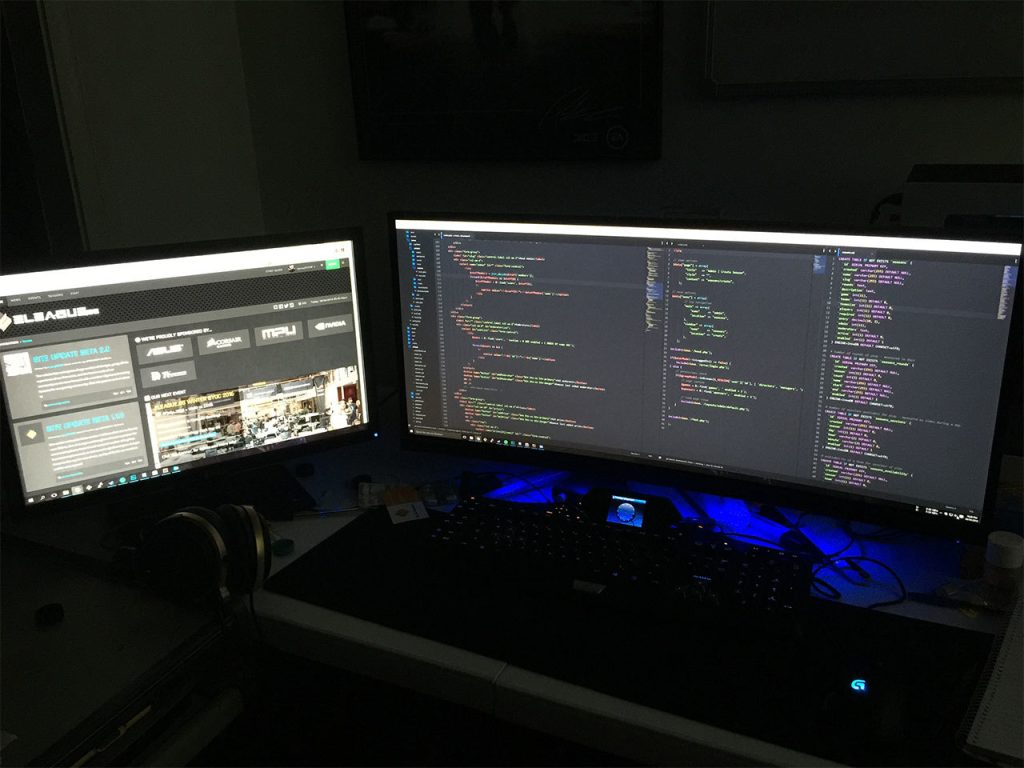
Our current development team consists entirely of one person (yours truly) and my duties involve:
- Coding behind all the site’s actions (more on this later)
- Designing everything visitors see on the site
- Writing all the content on the site
- Designing the structure of the site, processes and user flow
Not to mention all the maintenance involved…! So the obvious solution, is to bring on board more people! The exceptionally talented1 :
- PSmith a long time LAN party regular at my events and volunteer admin both at my events, and at PAX Australia
- SirSquidness the well known server/network/LAN guy from Respawn LAN, Melbourne (also same for PAX Aus PC Area)
So…. What’s the problem?
Well, since I started out running LAN parties, and doing gaming events – all my sites have always been bespoke, from the ground up creations. All involving myself as the sole designer, and sole developer. I’ve never had to answer to anyone and in fact, never had to consider that someone else might come in and develop on my sites/projects. Again, this is certainly horrible practice and not something any developer should really do.
And so again, as eLeague.gg started up – guess what I did? Haha…
And now? What is the solution?
Git branches. I already develop everything and store it through a personal Git repository system (I use Phabricator for my Git repo management needs).
As it currently stands, I keep:
- A branch called staging: this is for testing, development and experimental content creation.
- A branch called production: this is for everything that is on the live eLeague.gg website.
While this stops me from accidentally implementing broken features (sort of) it’s still not ideal for three developers working all at once on eLeague.gg’s core code. So we’ve developed a way to organise ourselves in such a way that each developer is independent, but bases their code off a singular source of truth.
This looks like:

What’s more important is the flow of code as signified by the arrowheads in the diagram above. Developers should in theory, only ever be pulling and pushing features in both directions from the Dev(elopment) Branch. And all features should be internally vetted within the Tech Team before being pushed to the Pre(flight) Branch, and then onto the Production Branch if all goes well with the rest of the team.
Some caveats:
- No more than a single developer should be working on a single feature at a time. If multiple developers are needed, then one dev needs to stop working on said feature, before another dev takes over.
- There is a degree of potential data and code entropy over time between all three branches – dev, pre and produciton. As such, only JT (me) will have access to being able to merge ‘backwards’ from Production > Pre > Dev.
- Setting up for three developers simultaneously also means we now have a bigger delay in rolling out features as everything needs to now be spec’d, documented and planned out.
I suppose it’s a great little situation to be in that I can start working on eLeague.gg in earnest with a team, and now I should hopefully be able to focus more on not just the technical development of eLeague.gg, but the rest of it too!
1: This list of people does not use names they uses their drivers’ licenses. Our team has many people with the same given names so to help differentiate, we refer to each other by our gamer nicknames.