
See and Download my Current Layout Here
Back at the start of the year, I picked up an Ergodox EZ keyboard; in an effort to save my wrists from the terrors of RSI. The keyboard, is actually quite alien compared to most standard keyboards, with something of a split QWERTY layout, it still bugs a lot of people when they see the keyboard.
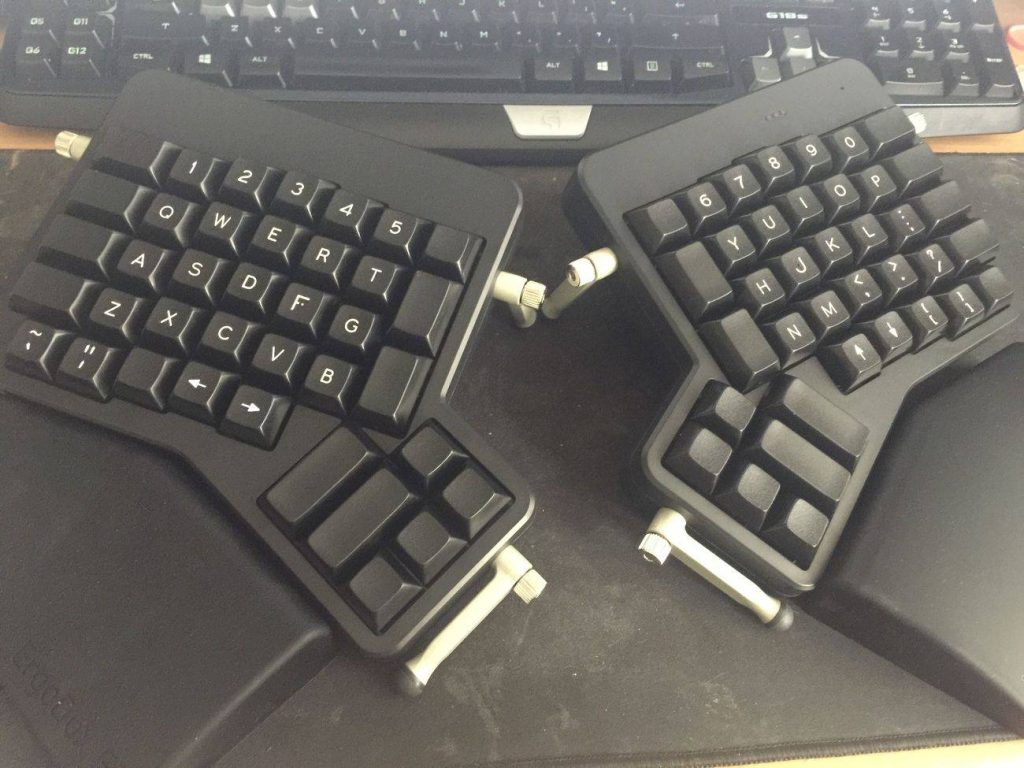
Needless to say, it’s taken me quite some time, in fact, I still am adapting to using this keyboard. It doesn’t help even more that I’m using a regular shaped keyboard at work everyday, either.
I still make a lot of typo errors, and I’ll stumble every now and then based on games asking me to press certain non-alphanumeric keys (Ctrl, Shift, etc.) and I sorely miss the arrow keys being in that familiar up/down/left/right shape on a regular keyboard. Instead, it’s an almost Vi-esque left/right/up/down setup. Still, I’ve persisted, and my typing speed almost matches the original keyboard layout speeds I had.
Where I really started to fall in love with the ErgoDox EZ though, is the eventually gentle tweaking I’ve been doing over time to the default key layout that the keyboard shipped with. It’s really become my own keyboard, and it’s been a journey that I’ve found myself looking at other lovely keyboards and told myself “No, I’m going to tough it out with the ErgoDox, because it’s unique, it’s mine.”
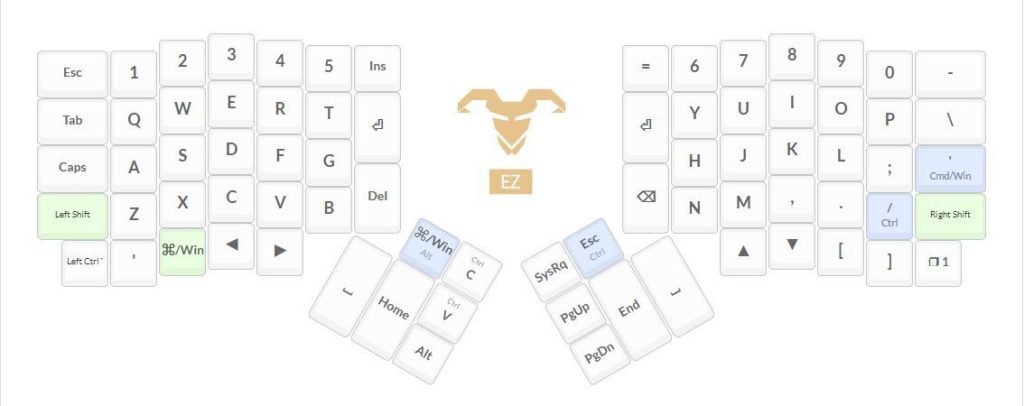
Without further ado though, here’s the layout – it’s split over two layers, with a toggle button in the bottom right to switch between layers. I can add a couple more layers on top (0 – 3 layers), but I’m trying to keep it to a minimum.
LAYER 0
LAYER 1
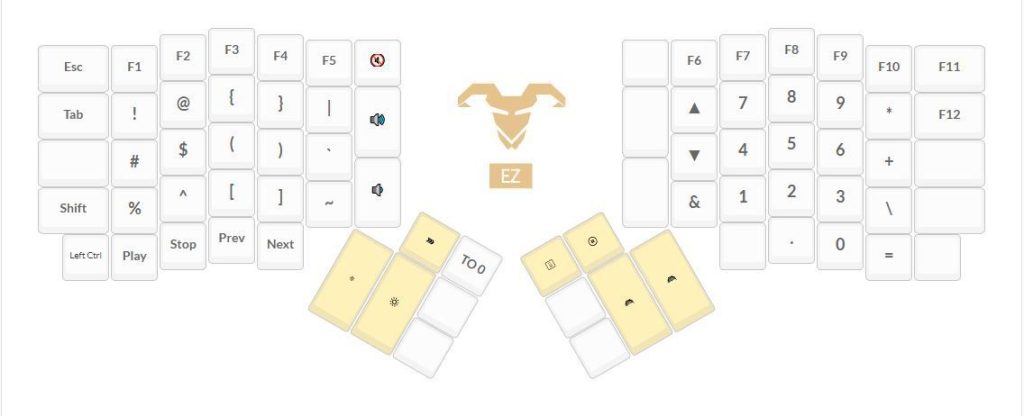
And as per the link at the top of this post, you can see and download my Layout Here. It’s dubbed version 3.4 — if you search the layouts on the configuration site for “jaytwitch” it’ll interestingly bring up a few of my historical layouts too 🙂
My last update was quite a while ago…! Coincidentally it’s also about a topic that I think I should write about again, just to see what’s changed since then!
In my time away, I’ve since started stabilising things regarding my personal career as a coder/developer/designer, and really, have started looking for a place online to write and journal my story. Enter this blog!
So, hopefully, you’ll see me updating this thing a bit more regularly, with a few more personal musings than before.
So, it’s been quite a while! Today I’d like to make a fairly quick post about my most recent toy, and the impact it’s actually had (within 24 hours – that’s pretty impressive!) on the way I’m working and doing eLeague.gg stuff!
Behold, my newest gadget (toy) – the Gigabyte P57X-1070-603S:

It’s a pretty big 17″ Laptop, with the new GeForce 10 series graphics cards built into it (a Geforce GTX 1070 to be exact). It’s a device of many firsts for me:
- My first gaming dedicated laptop
- My first $2500+ laptop
- My first 17″ laptop
- My first attempt at rolling everything I do into a single machine, realistically
It’s the fourth point that I’m going to be rambling on about today. Prior to owning this laptop, I was always a fan of the MacBook Air – using it in excess of 8 hours a day, I was essentially surgically grafted to it. It let me move around and still keep up coding.
The way I worked revolved around a core desktop setup (5 monitors, nice keyboard, etc) and I would float around coding on my laptop during the day. But unfortunately, I noticed something:
- I would splurge on my desktop, and it was great, but…
- I spent more time on my laptop than at my desktop at home
- I couldn’t do everything on my laptop (like photoshop, gaming, etc)
- At eLeague.gg events I ended up bringing both desktop & laptop
So I figured that I would really need something that could let me roll everything into one. How fortunate it was for me then, that NVIDIA rolled out its 10 series GPU into laptops that essentially, had all the clout of modest desktop gaming PCs with minimal compromise. Hence, I’m now a primary laptop user, back in the Windows ecosystem.
The benefits are pretty amazing so far, and I haven’t even had an opportunity to attend a LAN yet:
- My laptop replaces my current primary machine at work, and is far and away the most powerful machine in the office.
- At eLeague.gg I can now focus on immediately using my laptop to begin management and deployment of the event’s technical features without having to wait for the team to roll out network and power functionality. More time for management, less time in labour means I can focus on refining the event for both our (growing number of!) attendees, and sponsorship commitments.
In the spirit of brevity, I’ll go over how things are changing in our development and workflow, especially on a code level in another post, for now – this laptop appeared at a time of drastic change in how things work for us here at eLeague.gg
So, as you read in my last post – I recently got a new Gigabyte Laptop to start using as my all-in-one gaming and development device. This has recently meant that I’ve returned to the Windows ecosystem after developing and coding in Unix/OS X for the last 2.5 years professionally.
It’s a helluva change…!
My previous working arrangement was:
- Sublime Text 3 as my primary text editor for coding
- The built-in Terminal application to handle my SSH shenanigans
- Filezilla FTP for any GUI based file transactions needed
Admittedly, the above covered about 99% of everything I needed to do. Over the last few days or so, I made do with an almost similar compromise in Windows:
- Sublime Text 3 works just as well in Windows for coding and development!
- Git Bash — which comes with Git for Windows is pretty darn great too! It’s a very nice alternative to the Windows Command Prompt, and works much like a Linux terminal.
- WinSCP – solves my need for GUI file transactions; it’s less bloated than Filezilla FTP (in my opinion anyway)
This essentially matched everything I needed to do; but I’ve now also made the jump to Atom – the free editor/pseudo-IDE from the Github team. When I first tried Atom it had a lot of small, tiny little issues that kept me from using it as my primary coding editor. They all appear to be fixed now; and it has the equivalent plugins that I use in Sublime. I suppose in theory, this list is a lot more for my own personal use, than for any sort of public disclosure:
atom-beautify – lets me implement PHPCBF (part of the PHP Code Sniffer package) to automatically ensure my coding is to PSR-2 standards; it’s not 100% perfect, but it saves a lot of time with what it can fix.
atom-alignment – this is both for aesthetics and sanity. It basically lines up repetitive lines of code, such as array assignments, etc. So that it’s a lot more readable, and quicker to understand. For example:
emmet – I was always a bit hesitant to use Emmet when I first started out using Sublime Text; I figured, another bunch of shortcut keys to learn isn’t going to be as productive for me as just using raw power and speed to bash out whatever code was needed. Boy was I wrong. The shortcuts are really actually just one shortcut, and the syntax is logical and smooth. Definitely thrilled that this is available for both Atom and Sublime Text.
git-control – Atom’s native git tweaks and this package are what tipped the balance and made me decide to switch from Sublime Text. Git-Control is still heavily in development, but it provides a basic UI for you to do some quick git operations. It’s not as rapid as opening up the command palette and punching in ‘commit’ or ‘push’, but it does let me easily select files to commit in specific pushes, etc. As eLeague.gg’s platform gets more and more complicated; I find myself grouping my commits a little more for better coherence when I’m reviewing code and what I need to do. This certainly beats doing everything via the Sublime command line.
It really needs to be noted though, that for git-control to use your existing SSH agent and SSH key settings; you’d best install the Microsoft Git Credential Manager for Windows. It’ll automagically work whenever you use git across anything, and it solved what could have been hours of tinkering for myself. I had discovered it early on while trying to tinker around and getting my environment working… huge sigh of relief!
Things I’ve installed but they’re kinda optional…?
gitKraken – learning more about the Electron platform for building desktop Apps (it’s what’s behind the Atom Editor); I came across gitKraken. It’s a very attractive git GUI that does have its benefits (like managing merges, and conflict resolution) – but being the solo developer on the project so far, I haven’t had many issues with this, and it’s minimised even further now by my moving to a single computer for development… We’ll see how it goes?
Composer – I normally use composer as an autoloading assistant in many projects of mine (in fact, every project I have right now!) – and I wasn’t so sure about installing it on Windows; thankfully recent updates by the Composer team have made that ridiculously easy. It automagically adds it to the environment path, and system variables; and it extremely simplified the PHPCBF (PHP Code Sniffer package) installation for me.
mRemote-NG – I can easily use Git Bash to SSH into servers, but that would involve managing multiple windows, and remembering all the credentials (whenever there’s no SSH key available). mRemote offers me a centralised area for doing all that, in tabbed windows. It hasn’t gotten that much mileage from me yet, as most of the time my development is all local now, and deployment is mostly automated. But, it’s still very handy to have!
That pretty much sums up everything…
There’s one more app I installed, but it’s more focused on my transition from deploying to a world-accessible development domain, to a local development environment.
eLeague.gg is rapidly growing behind the scenes, and this is especially true in regards to the tech development team behind the scenes.
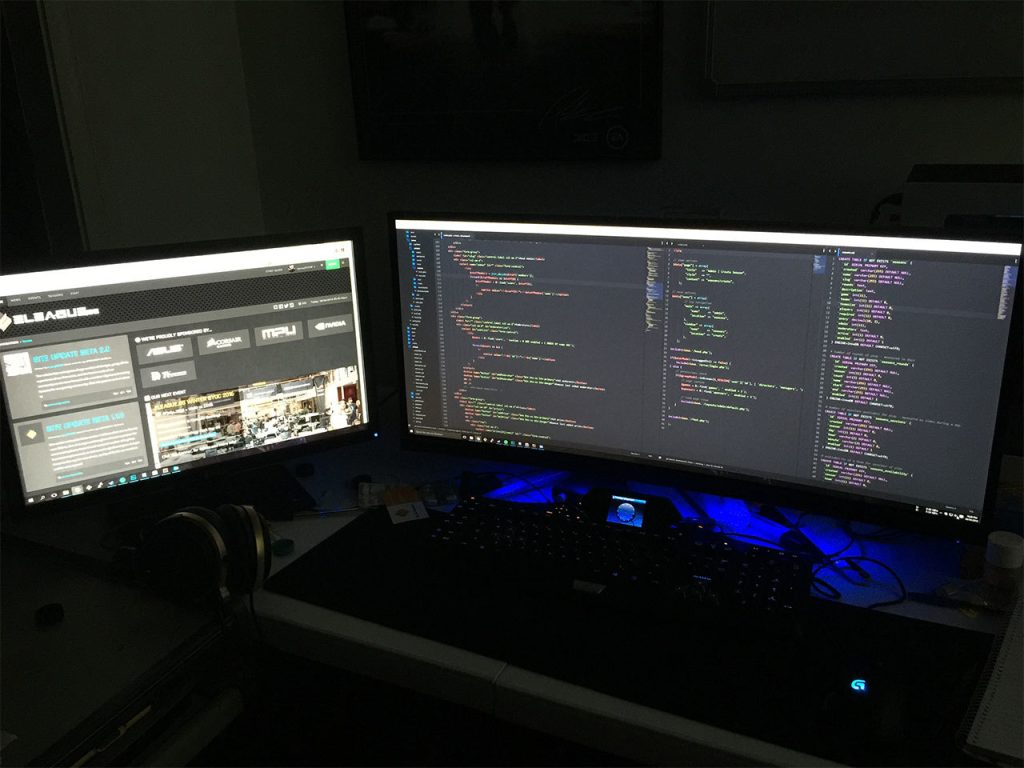
Our current development team consists entirely of one person (yours truly) and my duties involve:
- Coding behind all the site’s actions (more on this later)
- Designing everything visitors see on the site
- Writing all the content on the site
- Designing the structure of the site, processes and user flow
Not to mention all the maintenance involved…! So the obvious solution, is to bring on board more people! The exceptionally talented1 :
- PSmith a long time LAN party regular at my events and volunteer admin both at my events, and at PAX Australia
- SirSquidness the well known server/network/LAN guy from Respawn LAN, Melbourne (also same for PAX Aus PC Area)
So…. What’s the problem?
Well, since I started out running LAN parties, and doing gaming events – all my sites have always been bespoke, from the ground up creations. All involving myself as the sole designer, and sole developer. I’ve never had to answer to anyone and in fact, never had to consider that someone else might come in and develop on my sites/projects. Again, this is certainly horrible practice and not something any developer should really do.
And so again, as eLeague.gg started up – guess what I did? Haha…
And now? What is the solution?
Git branches. I already develop everything and store it through a personal Git repository system (I use Phabricator for my Git repo management needs).
As it currently stands, I keep:
- A branch called staging: this is for testing, development and experimental content creation.
- A branch called production: this is for everything that is on the live eLeague.gg website.
While this stops me from accidentally implementing broken features (sort of) it’s still not ideal for three developers working all at once on eLeague.gg’s core code. So we’ve developed a way to organise ourselves in such a way that each developer is independent, but bases their code off a singular source of truth.
This looks like:

What’s more important is the flow of code as signified by the arrowheads in the diagram above. Developers should in theory, only ever be pulling and pushing features in both directions from the Dev(elopment) Branch. And all features should be internally vetted within the Tech Team before being pushed to the Pre(flight) Branch, and then onto the Production Branch if all goes well with the rest of the team.
Some caveats:
- No more than a single developer should be working on a single feature at a time. If multiple developers are needed, then one dev needs to stop working on said feature, before another dev takes over.
- There is a degree of potential data and code entropy over time between all three branches – dev, pre and produciton. As such, only JT (me) will have access to being able to merge ‘backwards’ from Production > Pre > Dev.
- Setting up for three developers simultaneously also means we now have a bigger delay in rolling out features as everything needs to now be spec’d, documented and planned out.
I suppose it’s a great little situation to be in that I can start working on eLeague.gg in earnest with a team, and now I should hopefully be able to focus more on not just the technical development of eLeague.gg, but the rest of it too!
1: This list of people does not use names they uses their drivers’ licenses. Our team has many people with the same given names so to help differentiate, we refer to each other by our gamer nicknames.
Hello.
For the past half decade I’ve burned through my financial resources, time, energy and even health working towards running and building a gaming community. Learning scraps of everything I needed to get by on and then having to relearn things to master them. It’s been one heck of a journey.
This blog is my personal thoughts and feelings only as I build my gaming community; and it’s my way of recording this great adventure.
On March 19th this year, I managed to execute the first BYOC event of our gaming community brand, eLeague.gg – we had spent the past 5 years as Multiplayer United (and still continue to use this name to help other communities) but it came to a head with this new brand, and this new concept.
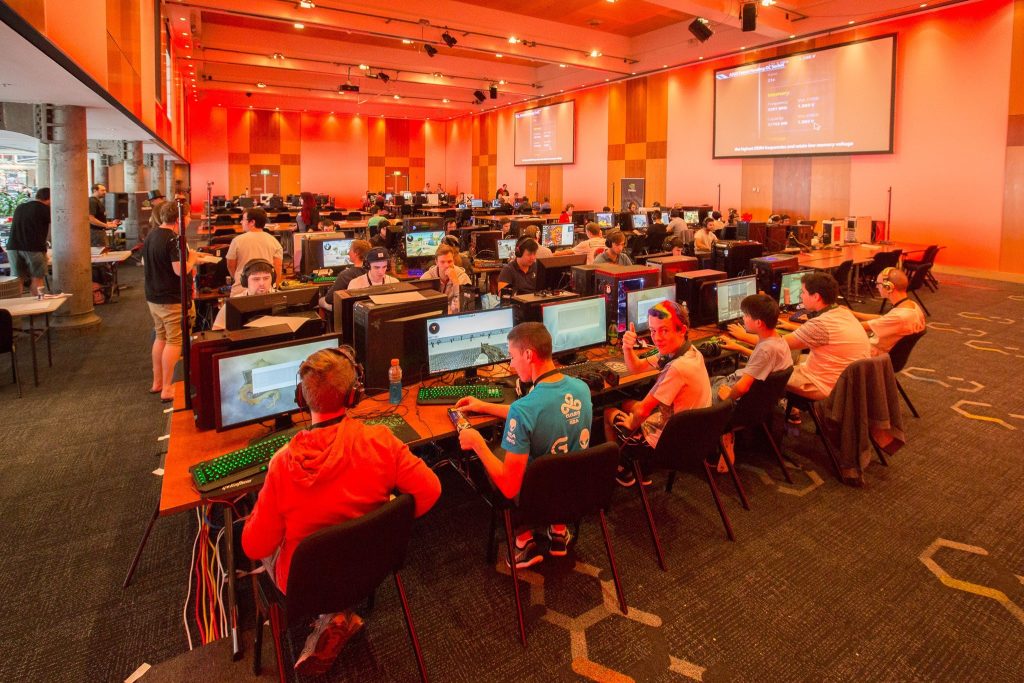
eSports Gamers
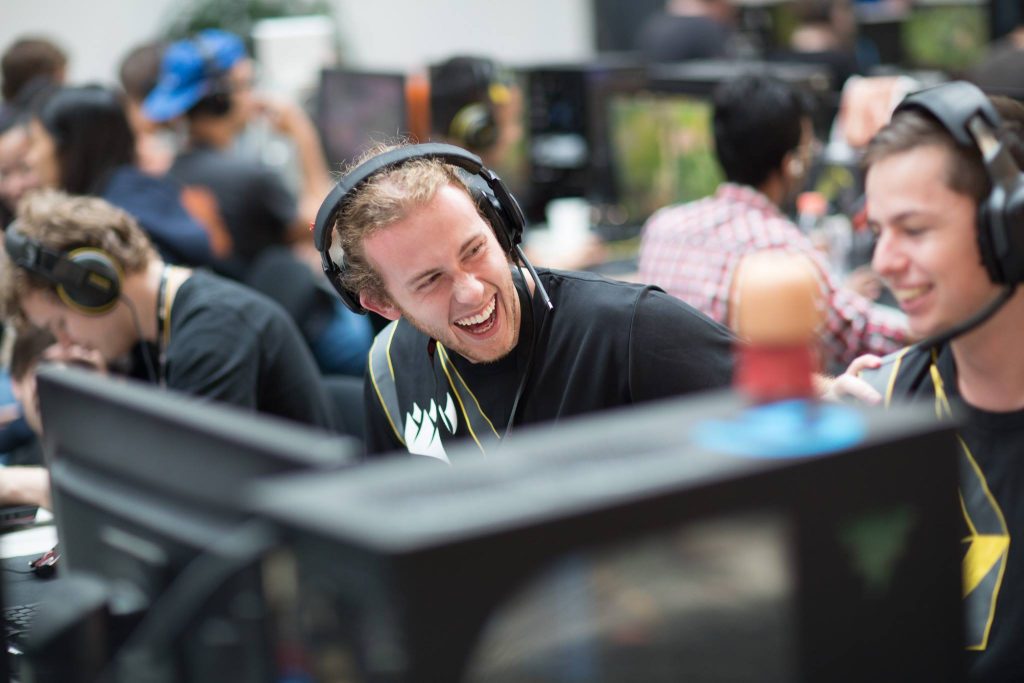
Community Gamers
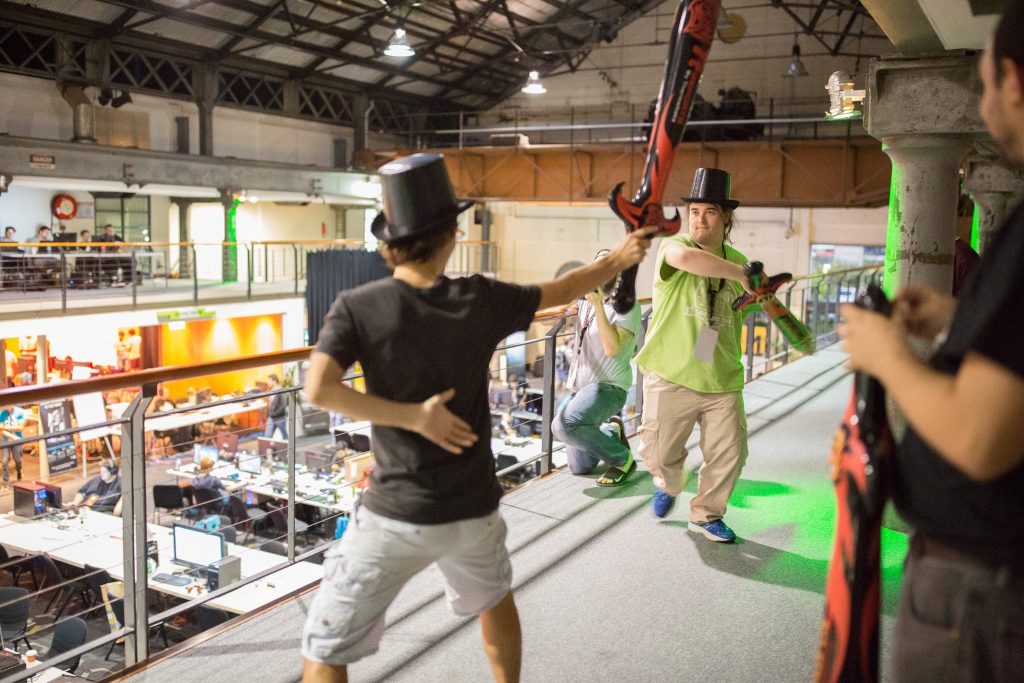
Quirky Competitions
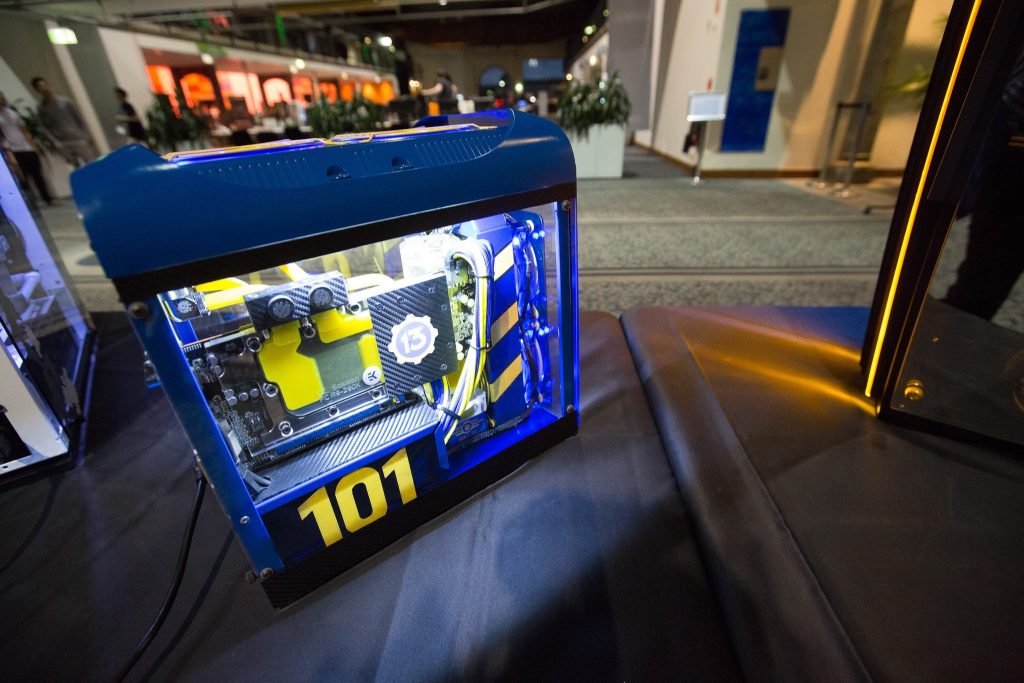
Incredible Modders
Loads of swag and prizes
It all came together; and as we near the approach of our next event – we face more challenges. Fixing the (hopefully mostly unnoticed) mistakes of the first event, improving our event’s features, and on a personal level of obsession that’s now infamous on our team – our online platform to support the burgeoning community.
As this blog continues, I hope you guys will enjoy the insight, efforts and lengths which the talented people I’m blessed to both work with and call my friends at eLeague.gg go to, in order to deliver an amazing gaming experience in Sydney, Australia.
One of the big gripes I have about my current to-do list with eLeague.gg is that I’m almost buried in the work required for developing the website. It actually genuinely gets in the way of something that I think might be even more important to eLeague’s operations — communicating with the community.

We haven’t quite explained it clearly although people can probably guess from our event naming that eLeague.gg operates on a seasonal calendar – with our BYOC acting as the ‘launch’ event of the season. Contrary to popular belief, these events are not our grand finals although they do host them, for example:
- Autumn BYOC – hosts Summer Finals, launches Autumn
- Winter BYOC – hosts Autumn Finals, launches Winter
- Spring BYOC – hosts Winter Finals, launches Spring
- Summer BYOC – hosts Spring Finals, launches Summer
With such frequent, eSport level events; there’s a lot to learn that some existing market players already know very well. Even though eLeague.gg’s focus is not on top tier teams; a lot of what we’re learning I can only imagine that the premium tournament organisers have had to go through many moons ago.
Coming from a strictly community BYOC background – means I’ve had to learn (and am still learning) the pressures of organising a consistent, regular tournaments with our community.
This includes bringing on specialist members into our team who are knowledgeable about games. Let’s use Counter-Strike: Global Offensive as an example as it’s our most popular title (currently).

I’ve been playing Counter-Strike a long time. In fact, I was there at release day of beta 1 some time in 1999 (I was in year 9 at high school at the time and had little else to do but play games). However, the times they are a-changing. I’ve been playing CS:GO but only occasionally, and my reflexes aren’t as fast anymore. The community’s attitudes have changed. The concept of eSports as a serious venture is now much closer than the distant dream on the horizon it was when I started doing LAN gaming.
We’ve brought on two very young members on our team, they’ve got the energy and drive to help eLeague.gg truly deliver an amazing experience for Counter-Strike: Global Offensive. The sensationally talented:
- FISHY well known for his contributions to LAN based tournaments at Respawn in Melbourne
- Karath a well known member of the Australian CS:GO community, he’s in fact already smoothly run our first tournament at our Autumn BYOC
And with them, a whole swathe of volunteers who are passionate about CS:GO and the gaming community to support them.
They’ve been working to develop rule sets for us, and to try and implement our first seasonal tournament that we shall be announcing over the next 48 hours! And I hope the community will, on some level, understand the stresses they had setting up a great looking tournament, while struggling with an online platform that’s literally in the flux of development and constantly changing around their organisation.
It’s been a team effort between the tech team, our CS:GO team and even our other game organisers coming up, to get things running.
There’s a great journey ahead for eLeague.gg as it continues to deliver ever evolving resources to support the community. And I’m glad that there’s a team that’s so supportive, passionate and ingenius; and a community that’s incredibly supportive, understanding and passionate – about the games we play.