Welp, seems to be an almost yearly thing – although to be honest there’s no plan to how I do things with my jtiong.* sites — it’s all very whimsical 😅
I’ve started working on a new site theme called “Chubby Snorlax‘ – a sort of sequel to “Minty Charmander” (the theme you see now on this site – as written about here).
This was mostly brought about by wanting to freshen things up when I started updating my jtiong.games website. The site itself is going to be used as a personal game server documentation and humble bragging website for all the stuff I run and mod for family and friends.
Behold!
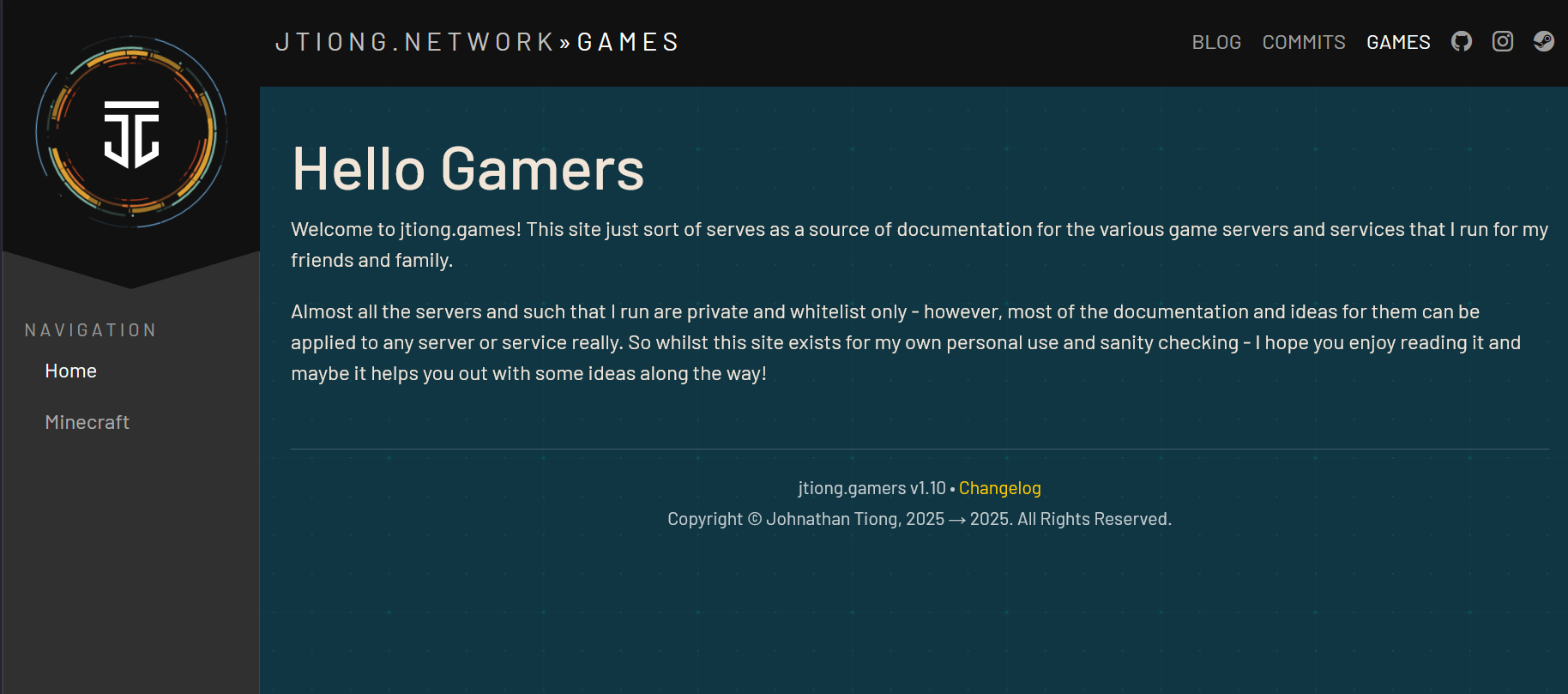
The site design pulls back more towards engineering documentation style layouts with a little bit of a flair taken from my jtiong.network site. It’s part of an intended update to all my domain names that I’ll write about (I suppose…) in the future.
The design itself is mostly complete – with the final steps being to make sure that any content I put into the theme is represented fittingly with the design (ie. there’s no weird layout issues or formatting issues). After that, I’m not going to immediately update this blog’s theme; but rather I’ll deploy Chubby Snorlax into the jtiong.dev site first, alongside some behind the scenes updates to that site!
Minty Charmander was a fairly easy update – I was able to create a WordPress compatible theme, then roll out a similar style that matched to jtiong.dev – however, this time the workload has increased to three websites (.blog, .dev, .games) at least. So complexity of the project does grow – each site has its own unique functionality, .blog being a WordPress powered site, .dev being a stylized website that interacts with GitHub, and .games being almost entirely handwritten HTML/PHP content. I’m trying to unify their look & feel, as well as bring them all under an umbrella sort of branding “jtiong.network” like a media network or some such. It’s just a fancy hobby name for my rapidly costlier hobby.
(more…)It’s almost been a year to the day since I last wrote any line of code that I committed to a git repo on GitHub.
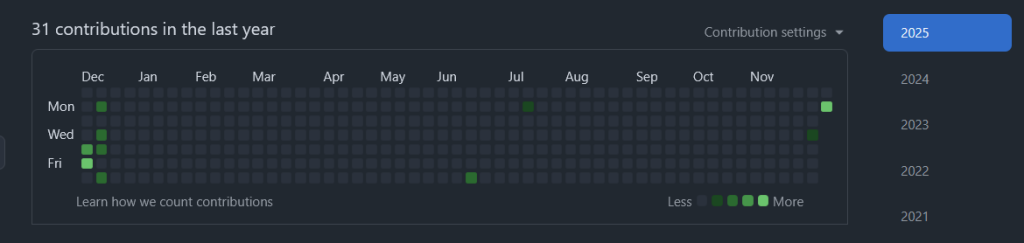
Burnout’s definitely been a real thing, and it’s been a real struggle to get back into the joy I had from tinkering and building things (no matter how jank the code) online.
In between fixing my health and personal life, and the challenges of being a cafe owner, I finally managed to push out some code to a new repo for a website.
I was surprised at how much I struggled using my simple docker container for php-apache, and getting it to interact with Caddy reverse proxy for my little project(s).
I’m glad I pushed through and finally did something about it!
It’s been a frantic 3 months or so since getting the cafe and the learning curve has been steep and once again, I turn to organising my home lab and home services to try and keep my technical skills going (and boy have they fallen short since leaving tech).
NPM has served me pretty faithfully all these years – but it wasn’t ever properly “configured” (API tests and connectivity checks would never work due to API failures somehow).
Containing all the sites
Every website that NPM used to point to was routed through a php-fpm container that had virtual hosts configured for it – this meant each time I had a site to have additional advanced nginx config parameters put in for every entry in it. This was a pain to do and prone to a lot of issues and errors.
It looked a lot like this:
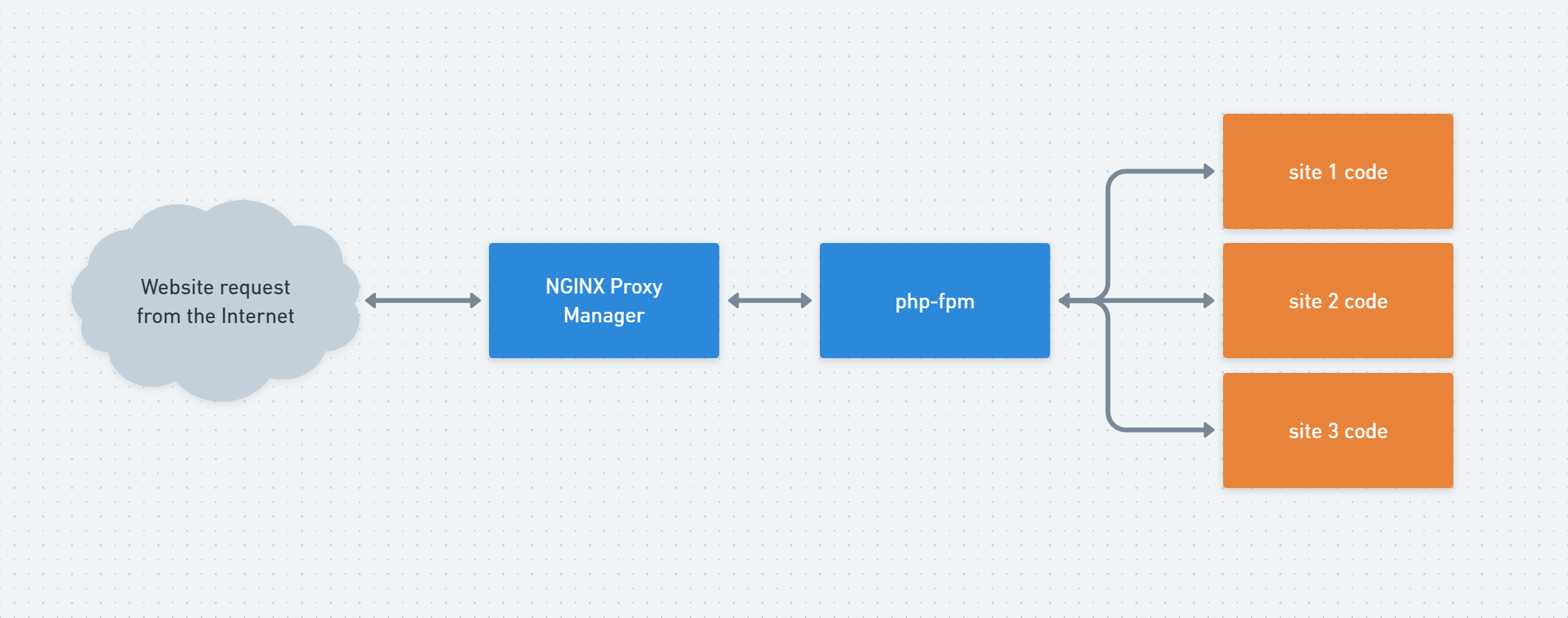
This served my purposes quite well. But it WAS clunky to configure and add new sites to it.
Even more so, the biggest drawback was adding something like uptime-kuma or any other app to my server. Adding it as a subdomain in NGINX Proxy Manager was a muck around for some bizarre reason, and adding additional apps that worked on arbitrary ports through the web UI was troublesome. I suppose my biggest complaint at the end of the day was the webUI was somehow easy to use yet cumbersome 😱
I’ve been out of the tech game long enough to be able to claim ignorance to best practices now I think, but Caddy’s straightforward “chuck everything in a Caddyfile” approach simplified a lot of things for me – and made it straightforward routing traffic to apps, or different website domains as I needed.
None of this is new, and all of this is what I used to do in my dev environments back in the day. But I hadn’t touched it in so long it feels nice to be doing something so close to the “good old days”.
Baby steps…
Well… my last post mentioned the numerous domains I own – all “jtiong” themed – and one particular site was jtiong.games
This particular domain and its purpose was more to act as a nice set of subdomains for connecting to whatever various game servers I’d be hosting (most notably Minecraft). And really, that’s all I did. I built the boilerplate code for the jtiong.games website
I suppose one thing at a time. I’ll try to find more time to put down some more commits and enjoy the process of building up my little corner of the web with no timelimits or deadlines 🙂
Very recently my time at MindArc sadly came to an end; so I’ve been working to skill up with some of the things I’ve gleaned from my time there. Even though it was a short time, it was a great learning experience coming into an eCommerce agency.
I’m looking at using the following tech stack to resurrect my currently dead jtiong.com site!
- Cloudflare Workers
- Cloudflare Pages
- PlanetScale DB
- Remix.js
- Tailwind CSS
I’m adding on to the PHP skillset (although not abandoning it!) – with a few of my other tools I build still using PHP (such as this repo for one of my Rust game servers)
After my time at Padua learning Angular (which I found really confusing); and struggling for a bit – I think I’m ready to dive into using typescript with Remix to do a lot of stuff. This’ll be interesting…!