With the implementation of my JT-LAB homelab; it stands to reason I should probably self-host whatever I can to try and get a decent use out of the stupid amount of money I’ve poured into the project. Being able to ensure I’m only sharing the data that I want to share as well (for whatever reason) – is pretty important to me as well.
Normally, the majority of my code to-date, has been stored on Github (which is fine, it’s fantastic and it’s an amazing free resource for the world). But my workplace had an implementation of Gitlab that I thought was done pretty well.
So, I’m going to take it upon myself to implement GitLab into JT-LAB, and make sure there is a version of my work that runs from GitLab. Github will essentially become my backup for code (Github being way more reliable in uptime than anything I’d run like GitLab etc.)
Why is this so important?
GitLab is going to work as my core repository and project management system; with it, I’ll be able to store and update my code for various projects as previously mentioned
What’s the challenge?
Well, after some wrestling it’s implemented – however the one area that I’m most unsure with, is the AutoDevOps feature of GitLab.
Lots to learn!
So it’s been several days since my last post about C States and power management in the Ryzen stuffing up Unraid OS.
I’m happy to report that things have been rock solid and for the last 90 hours or so, I’ve been solidly downloading my backups from Google Drive (yes, many years worth of data) onto the server. At the same time it’s been actively running as an RTMP bridge for all the security cameras around my house, and as an internal home network portal – all without falling over.
Here’s hoping I didn’t just jinx it….
Update: 8th August 2022 — Unraid’s been running solidly for 10 days + now!
I recently chose to go the Unraid route with my media storage server; I was lucky enough to be given a license for Unraid Pro, and straight up, let me say:
- It’s easy to use
- It’s beautiful to look at
- It’s stupid simple to get working
BUT…
My server uses an old spare desktop I had lying around:
- AMD Ryzen 7 1700 (1st generation Ryzen)
- 32GB DDR4 RAM
- B450 based motherboard
But therein lies the problem. It turns out that Ryzens crash and burn with Unraid by default. You need to go into your BIOS settings, and turn off the Global C States power management states settings. Insane.
Why am I writing about this?
Because it took me 2 weeks to reach this point, wrestling with Windows storage, wrestling with shoddy backplanes in my ancient server chassis (which I then ordered a replacement case which set me back a pretty penny); new SAS controller; new SAS cables…
This is an expensive hobby, homelabs.
Local media storage. Yeah.
That’s right, I’m running Windows 10 Pro for a home server 😂
It’s been good so far, the machine is pretty old, but it is there for running things like local media storage, maybe a few other things that aren’t GPU reliant. It has an ancient PCIe 1x GPU in it (a GT 610 haha) that can’t really do anything more than let me remote in and work on the PC.
Although I do definitely want to run:
- Core Keeper
- V Rising
On the PC for friends and family to check out 🙂
Storage is a bit interesting; I forked out for StableBit Drive Pool and StableBit Scanner (there’s a bundle you can get) and it’s a simple GUI to just click +add to expand my storage drive with whatever randomly sized hard drives I have.
Why’d I do this instead of the usual zfs or linux based solution?
Mostly to keep my options open; it’s nice seeing a GUI and if Windows can handle my needs for my local network, I’m not doing anything extremely complicated, and the “server” it’s on is going to act as a staging ground for anything pre-gdrive archive.
I could just as (probably more) easily achieve the same results doing this over something like Ubuntu Server; except for the game servers mentioned above. There are some games that just require a Windows host much better, so this is what this machine is for.
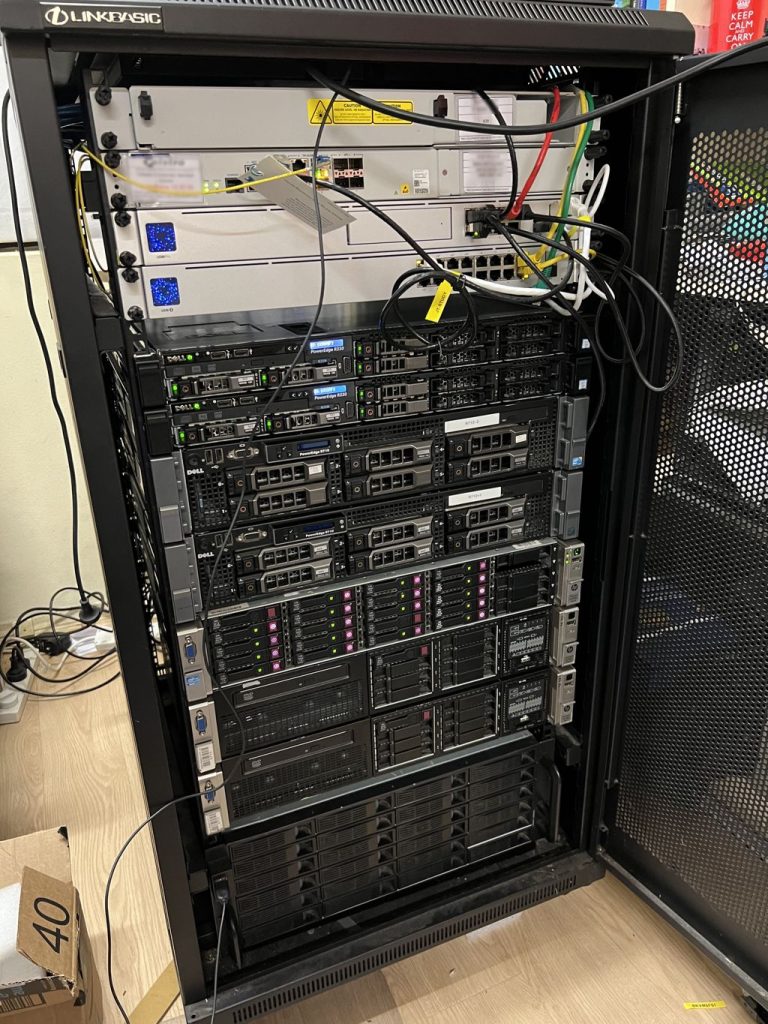
The JT-LAB rack is finally full; all the machines contained within are the servers I intend to have fully operational and working on the network! Although not all of them are turned on right now. There’s a few machines that need some hardware work done on them; but that’s a weekend project, I think 🙂
So the new Minecraft version is out, and with it I’ve created a new Vanilla server for my friends to play on.
Just a short little update to myself that I’ll keep. I’ve acquired:
- Dell R330 –
R330-1- 4 x 500GB SSD
- 2 x 350w PSU
- 1 x Rail Kit
- INSTALLED AND READY TO GO
- Dell R330 –
R330-2- 4 x 500GB SSD
- 1 x 350w PSU (need to order 1)
- 1 x Rail Kit (just ordered)
- Awaiting PSU, and Rail Kit
These are going to help me decommission my Dell R710 servers. Trusty as they are, they’ve reached their end of life, for sure. I’ll keep them as absolute backup machines; but will not be using them on active duty anymore.
R330-1
- Websites
R330-2
- Rust (Fortnightly)
- Project Zomboid (Fortnightly)
- Minecraft (Active Version)
It’s actually been pretty tricky keeping a decent track of everything; so I’ve recently signed on for some Free Plan tiered Atlassian services using Jira and Confluence. Something a little formal for my use.
April and May’s been a busy time for both technically for work, and at home with JT-LAB stuff. Work’s been crazy with me working through 3 consecutive weekends to get a software release out the door, and on top of that working to some pretty crazy requests recently from clients.
I had the opportunity to partially implement a one-node version of my previous plans, and ran some personal tests with one server running as a singular node, and a similarly configured server with just docker instances.
I think I can confidently say that for my personal needs, until I get something incredibly complicated going, sticking to a dockerised format for hosting all my sites is my preferred method to go. I thought I’d write out some of the pros and cons I felt applied here:
The Pros of using HA Proxmox
- Uptime
- Security (everyone is fenced off into their own VM)
The Cons of using HA Proxmox
- Hardware requirements – I need at least 3 nodes or an odd number of nodes to maintain quorum. Otherwise I need a QDevice.
- My servers idle at something between 300 and 500 watts of power;
- this equates to approximately about $150 per quarter on my power bill, per server.
- Speed – it’s just not as responsive as I’d like, and to hop between sites to do maintenance (as I’m a one-man shop) requires me to log out and in to various VMs.
- Backup processes – I can backup the entire image. It’s not as quick as I’d hoped it to be when I backup and restore a VM in case of critical failure.
The Pros of using Docker
- Speed – it’s all on the one machine, nothing required to move between various VMs
- IP range is not eaten up by various VMs
- Containers use as much or as little as they need to operate
- Backup Processes are simple, I literally can just do a directory copy of the docker mount as I see fit
- Hardware requirements – I have the one node, which should be powerful enough to run all the sites;
- I’ve acquired newer Dell R330 servers which idle at around 90 watts of power
- this would literally cut my power bill per server down by 66% per quarter
The Cons of using Docker
- Uptime is not as guaranteed – with a single point of failure, the server going down would take down ALL sites that I host
- Security – yes I can jail users as needed; but if someone breaks out, they’ve got access to all sites and the server itself
All in all, the pros of docker kind of outweigh everything. The cons can be fairly easily mitigated; based off how fast I file copy things or can flick configurations across to another server (of which I will have some spare sitting around)
I’ve been a little bit burnt out from life over May and April, not to mention I caught COVID during the end of April into the start of May; I ended up taking a week unpaid leave, and combined with a fresh PC upgrade – so the finances have been a bit stretched in the budget.
Time to start building up that momentum again and get things rolling. Acquiring dual Dell R330 servers means I have some 1RU newer gen hardware machines to move to; freeing up some of the older hardware, and the new PC build also frees up some other resources.
Exciting Times 😂
It’s been about a week since I decided to properly up my game in terms of home services within the server Rack and convert a room in my house into the “JT-LAB”. I’ve blogged about having to learn to re-rack everything, and setting up a kind of double-nginx-proxy situation. Not to mention setting this blog up so I have a dedicated rant space instead of using my main jtiong.com domain.
As I’ve constantly wanted to keep things running with an ideal of “minimal maintenance” in mind going forward; it’s beginning to make more and more sense that I deploy a High Availability cluster. I’ve been umm’ing and ahh’ing about Docker Swarm, VMWare, and Proxmox – and I think, I’ll be settling for Proxmox’s HA cluster implementation. The price (free!) and the community size (for just searching for answers) are very convincing; so this blog post is going to be about my adventures of implementing a Proxmox HA Cluster using a few servers in the rack.
What are the benefits of going the Proxmox HA route?
Simply just high availability. I have a number of similarly spec’d out servers; forming a cluster means the uptime of the VMs (applications, sites, services) that I run is maximized. Maintenance has minimal interference with what’s running. I could power down one node, and the other nodes will take up the slack and keep the VMs running whilst I do said maintenance.
Uptime – hardware failure similarly means that I could continue running the websites I have paying customers for, with minimal concern that there’d be a prolonged downtime period.
So, that sounds great, what’s the problem?
I’m rusty. I’ve not touched Proxmox in about a decade since; and on top of that, I already actually have a node configured – but incorrectly. VMs currently use the local storage on the single cluster node to handle things; so I need to find a way to mitigate this.
The suggested way, if all the nodes have similar storage setups, is to use a ZFS mirror between all the nodes, such that they can all have access to the same files as needed. By default, Proxmox sets replication between the nodes to every 15 minutes per VM. This seems pretty excessive and would require really fast inter-connects between servers for reliable backups (10Gbit).
There’s a lot of factors to go through with this…
**is perplexed**
I’ve been busy for quite some time working on how to update the Server Rack into a more usable state; it’s been an expensive venture, but one that I think could work out quite well. This is admittedly just a bunch of ideas I’m having at 5am on a Friday…
I recently had the opportunity to visit my good mate, Ben – who had a surplus of server hardware. I managed to acquire from him:
- 3 x DL380p G8 servers – salvageable into 2 complete servers
- 1 x DL380p G8 server with 25 x 2.5″ HDD bays
- 1 x Dell R330 server
- 2 x Railkits for Dell R710 servers
- 3 x Railkits for the DL380p G8 servers
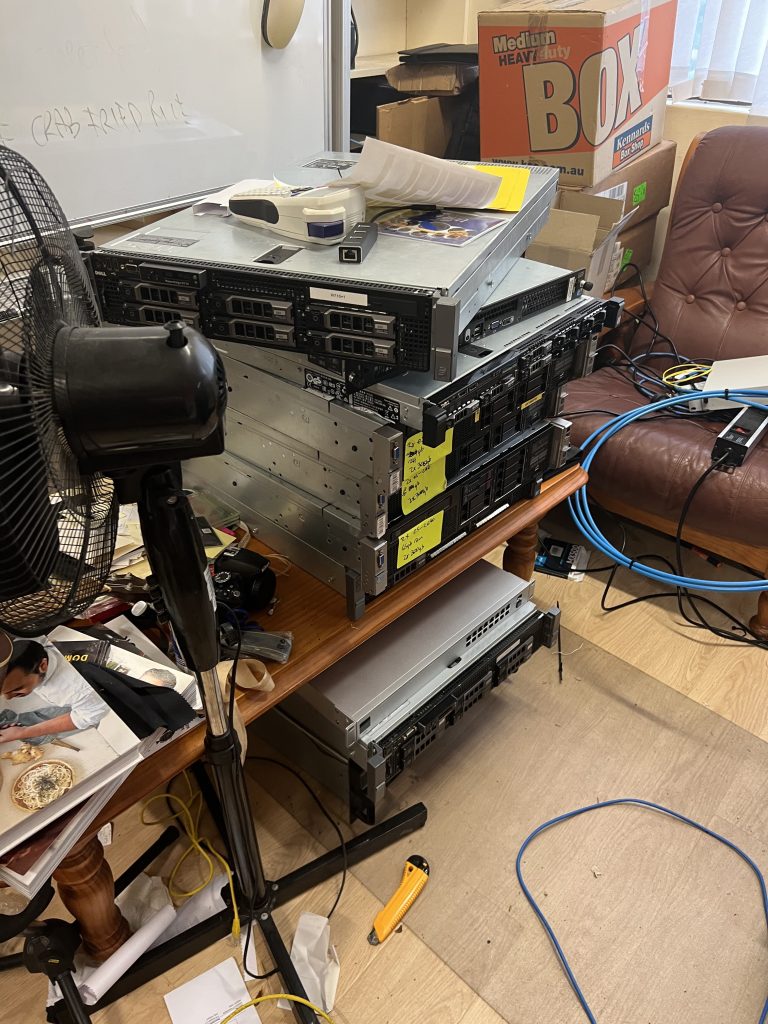
I spent all of Saturday and Sunday (26th and 27th) re-racking everything so that I could move the internal posts of the rack such that they’re long enough to suppot the Railkits. I couldn’t believe that I’d gone so long without touching the rack that I didn’t know about having to do that…
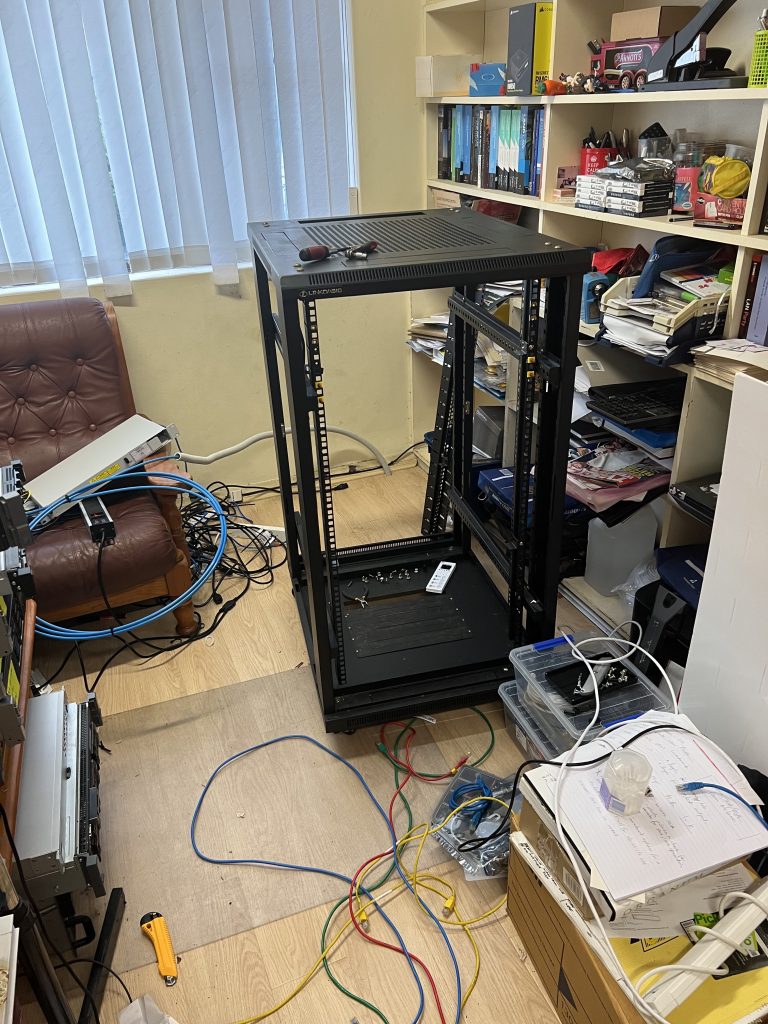
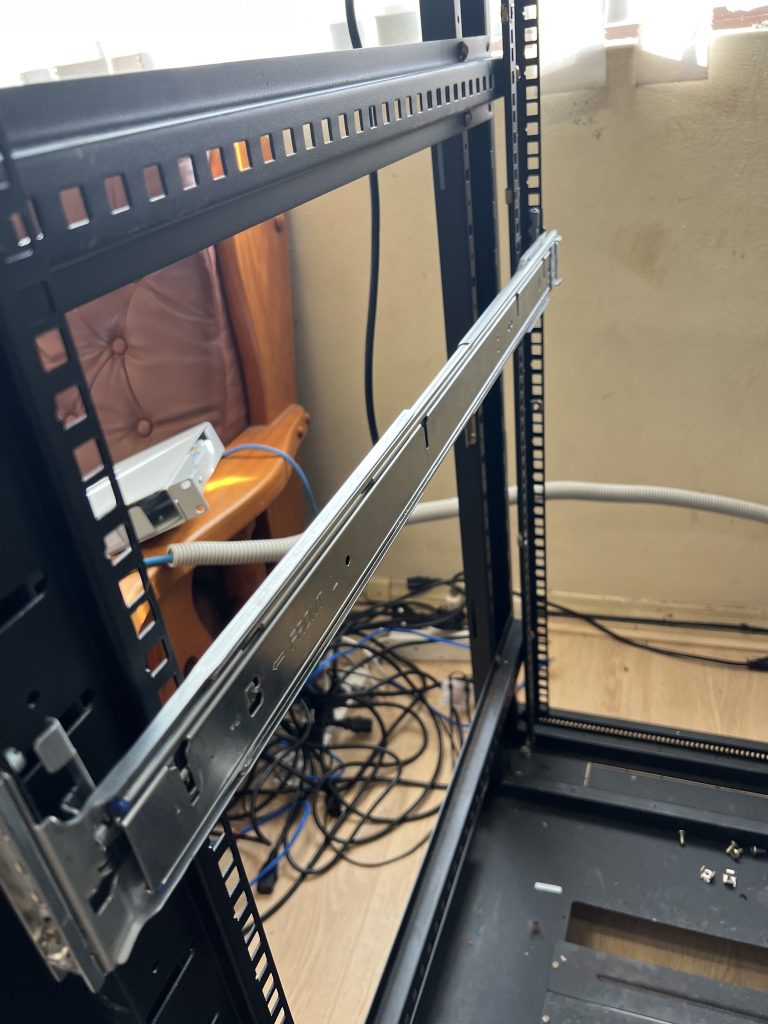
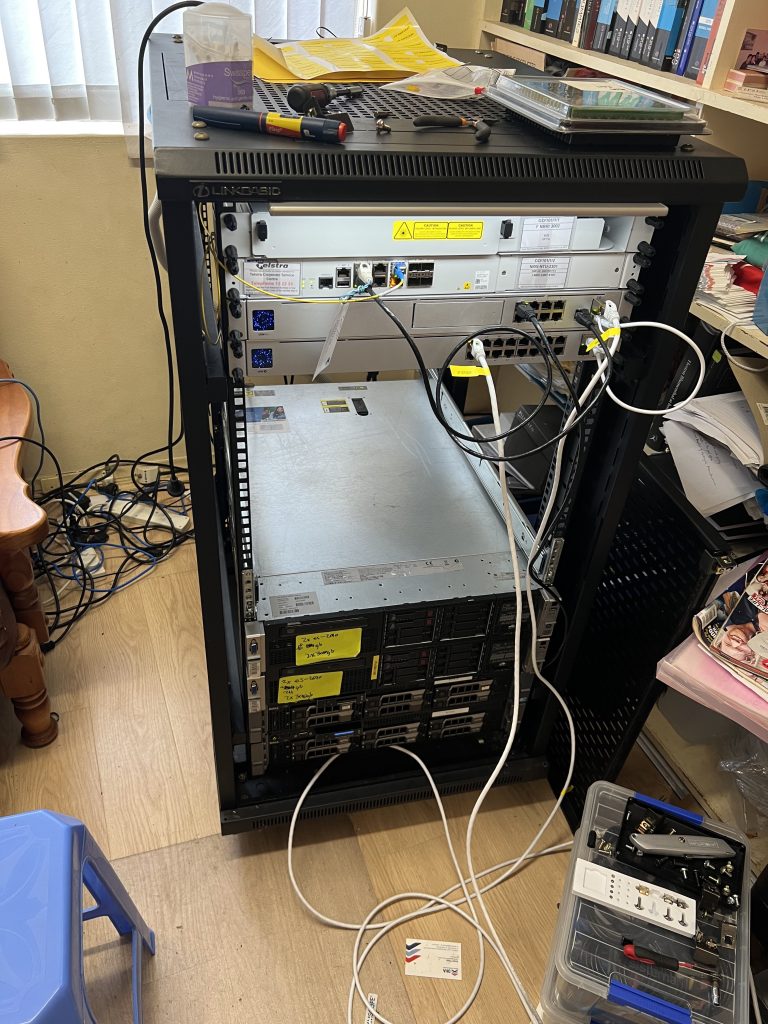
All-in-all, honestly, lesson learnt. What a mess…!
I’m so thankful that in a sense, I only needed to do this once. I hope…